First robot
An SO-101 in a MuJoCo world on your machine: move two joints, read them back, save a camera frame. No hardware, no GPU.
At the end of this page an SO-101 arm stands in a MuJoCo world on your machine; you moved two joints, read them back, and saved a camera frame. No hardware, no GPU.
Build it
from strands_robots import Robot

robot = Robot("so101")            # mode="sim" is the default
print(robot)
print(robot.robot_name)
print(robot.robot_joint_names(robot.robot_name))
print(robot.get_robot_state()["content"][1]["json"]["joint_labels"])
You should see:
<MuJoCoSimEngine robot='so101' tool='so101_sim'>
so101
['1', '2', '3', '4', '5', '6']
{'1': 'shoulder_pan', '2': 'shoulder_lift', '3': 'elbow_flex', '4': 'wrist_flex', '5': 'wrist_roll', '6': 'gripper'}
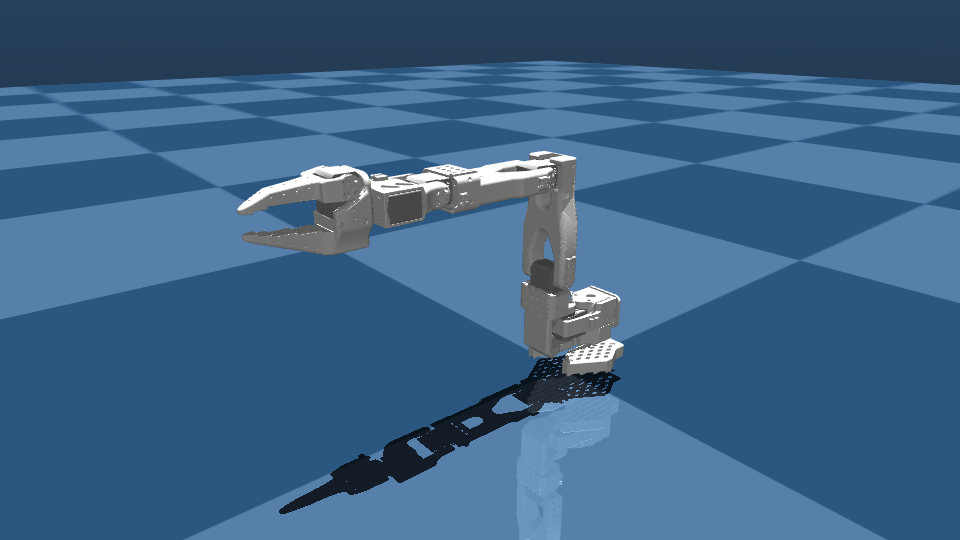
Robot() is a factory, not a wrapper. In mode="sim" it returns the simulation engine itself, world created, robot added. One engine holds one world and any number of robots, so every method that touches a robot takes its name. The SO-101 model names its joints by servo id, 1 to 6; the labels tell you which is which.
Any name or alias in the catalog works in place of "so101". A misspelling is refused with the nearest matches: Robot("so1000") says Did you mean: so100, so101?.
Move it
from strands_robots import Robot

robot = Robot("so101")
print(robot.send_action({"1": 0.5, "3": -0.8}, n_substeps=500))
state = robot.get_robot_state()["content"][1]["json"]["state"]
for joint, value in state.items():
    print(joint, round(value["position"], 3))
print(robot.step(100))
obs = robot.get_observation()
print(sorted(obs))
print(obs["default"].shape, obs["default"].dtype)
frame = robot.render()
png = frame["content"][1]["image"]["source"]["bytes"]
open("so101.png", "wb").write(png)
print(frame["content"][0]["text"])
robot.cleanup()
You should see:
{'status': 'success', 'content': [{'text': "Commanded 2 actuator(s) on 'so101'; advanced 500 physics substep(s)."}]}
1 0.502
2 0.021
3 -0.782
4 0.005
5 0.0
6 -0.0
{'status': 'success', 'content': [{'text': '+100 steps | t=1.2000s | total=600'}]}
['1', '1.vel', '2', '2.vel', '3', '3.vel', '4', '4.vel', '5', '5.vel', '6', '6.vel', 'default']
(480, 640, 3) uint8
640x480 from 'free (default)' at t=1.200s
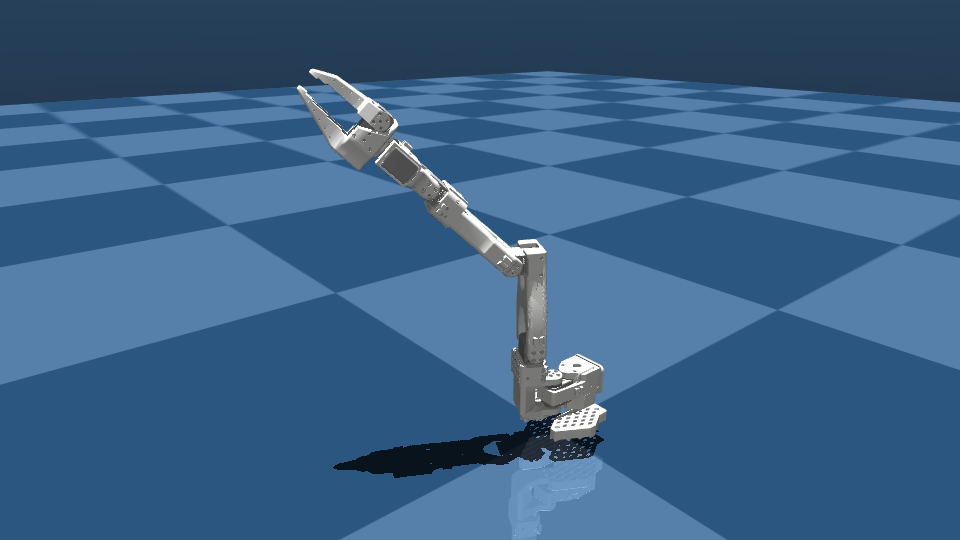
What each call did:
| call | effect |
|---|---|
send_action({...}, n_substeps=500) |
writes position targets in radians to the named actuators, then steps physics 500 times so the servos arrive |
get_robot_state() |
joint positions and velocities, plus the end-effector pose, as text and as JSON |
step(100) |
advances physics with the targets held |
get_observation() |
the flat observation a policy sees: one key per joint, <joint>.vel, and one RGB array per camera |
render() |
a PNG from the free camera in the same envelope an agent tool returns |
cleanup() |
frees the world and the renderer |
Every call but get_observation(), cleanup() (None) and listers list_robots(), robot_joint_names(), list_cameras() (a list) returns the same envelope: status and a content list of text, json or image blocks. An agent mounting the robot as a tool reads that envelope, so you print what the model sees.
A label works as a key: send_action({"shoulder_pan": 0.5}) writes joint 1. A key the robot does not have is not silently dropped: it returns status="error" naming the valid keys and labels.
Add an object
from strands_robots import Robot

robot = Robot("so101")
print(robot.add_object(name="cube", shape="box", size=[0.025] * 3,
                       position=[0.3, 0.0, 0.025], color=[1, 0, 0, 1])["content"][0]["text"])
print(robot.list_objects()["content"][0]["text"])
print(robot.reset()["content"][0]["text"])
robot.cleanup()
You should see:
'cube' added: box at [0.3, 0.0, 0.025], size=[0.025, 0.025, 0.025], 0.1kg, red
Objects:

  - cube: box at [0.3, 0.0, 0.025], 0.1kg, red
Reset to initial state.
reset() returns the robot to its spawn pose and keeps the objects. Objects, cameras, scene files and the predicates that judge a task are in Worlds and objects.
Where next
The same object drives the physical arm: First real arm. To let a model call these methods instead of you: First agent.
Edit page