ROS 2 integration
use_ros gives a Strands agent one structured entry point into any ROS 2 graph
reachable from the interpreter - listing and echoing topics, publishing
messages, and calling services - entirely in-process through rclpy. There
is no ros2 CLI shelling and no generated-code snippets: every action calls the
ROS 2 client library directly, so message types are real Python classes, errors
are real exceptions, and a single long-lived node/executor is reused across
calls.
from strands import Agent
from strands_robots.tools import use_ros

agent = Agent(tools=[use_ros])
agent("list the ROS 2 topics, then drive /turtle1 forward and confirm its pose changed")
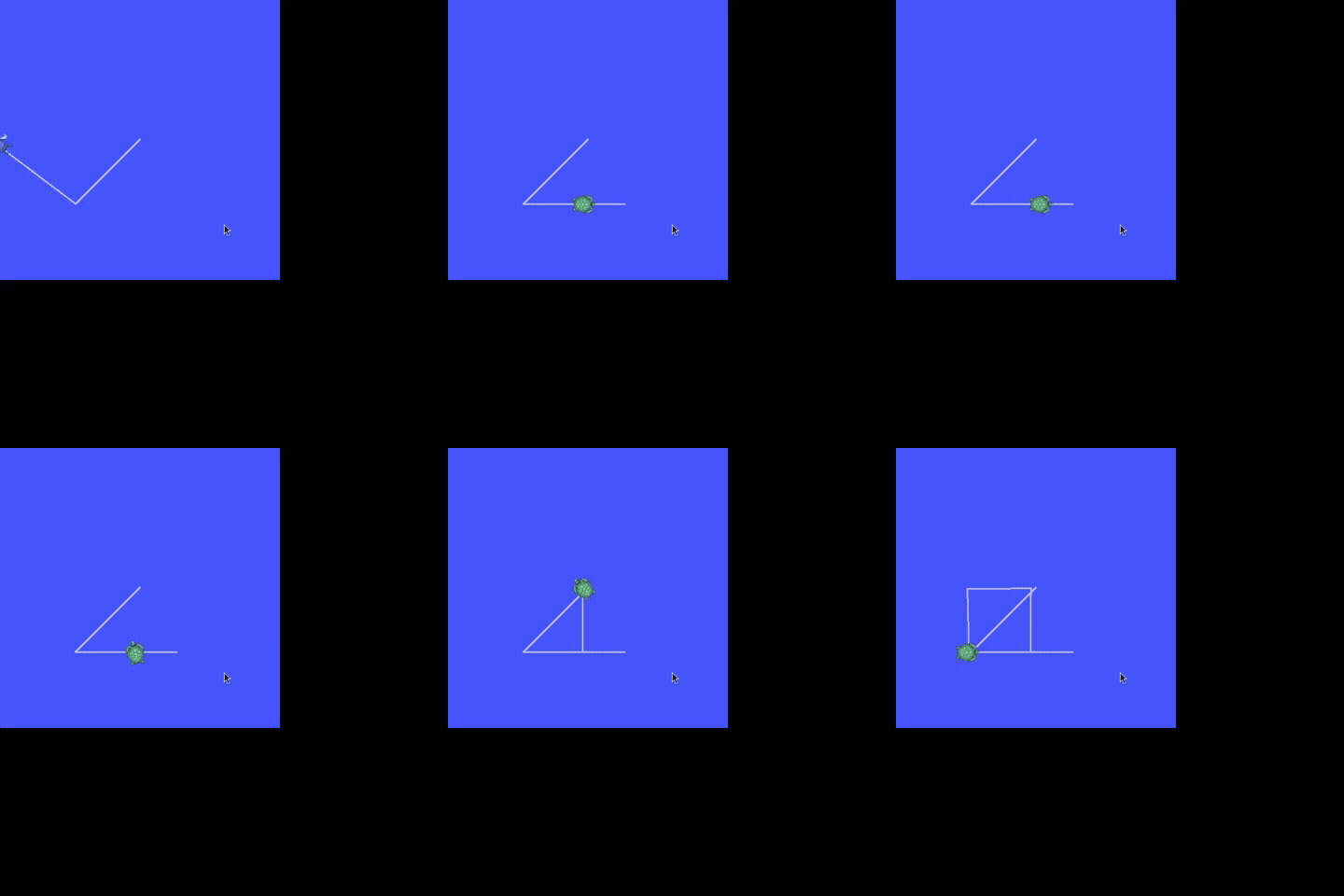
A Strands agent (Claude Opus via Amazon Bedrock) given the use_ros tool drives
a real ROS 2 turtlesim in a closed-loop square - reading pose, correcting
heading, and re-driving - over 43 in-process use_ros calls. See
examples/ros2/use_ros/.
ROS 2 surfaces at a glance
strands-robots meets ROS 2 from four complementary angles - pick by what you have and what you want to do:
| Surface | Role | Backend | Needs sourced ROS 2 | Use it to |
|---|---|---|---|---|
use_ros tool |
client / observer + commander | in-process rclpy |
yes | List/echo/publish topics, call services on any ROS 2 graph - full type coverage |
use_rtps tool |
participant / act as a robot | pure cyclonedds (pip) |
no | Join a graph as a DDS peer and publish topics a real stack consumes; works on macOS/CI/Jetson, all distros |
use_rosbridge tool + RosbridgeRobot |
ROS1 / remote robots over a rosbridge WebSocket | pure-pip roslibpy |
no | Drive ROS1 robots (e.g. the NASA Curiosity Gazebo sim) or any remote rosbridge robot from a machine with no ROS install - see rosbridge integration |
RosBridgedRobot |
a ROS 2 robot as a strands Robot |
use_ros |
yes | drive()/get_pose() a cmd_vel/odom base with the same Agent(tools=[robot]) UX as sim/hardware |
SimEngine(ros2_bridge=True) |
the simulation as a ROS node | rclpy |
yes | Publish a running MuJoCo sim's joint_states + camera image_raw so rviz/nav2/agents can subscribe |
Robot(ros2_bridge=True) |
a real robot as a ROS node (full duplex) | rclpy |
yes | Publish a physical arm's live joint_states + camera image_raw so rviz/nav2/agents subscribe to the hardware, and subscribe to joint_command to drive the arm - symmetric to the sim bridge, plus an inbound command path the sim does not need |
The first three are documented below; the sim bridge has its own section. The
use_rtps pure-RTPS path (no rclpy, every ROS 2 distro) is on the
Pure-RTPS ROS 2 page.
Requirements
The tool needs rclpy and rosidl_runtime_py importable in the same
interpreter that runs the agent. These ship with a sourced system ROS 2 distro
and are not on PyPI, so they cannot be pip installed and are not pinned in
pyproject.toml. Source a ROS 2 environment before launching the agent:
When rclpy is not importable, every action returns a clear, actionable error
naming the remedy (it never raises). Check the active backend with
use_ros(action="status"), which reports either rclpy (in-process) or none.
The [ros2] extra is minimal and optional - it only pulls the pip-installable
cyclonedds DDS RMW binding. It does not provision ROS 2 by itself; you
still need a real sourced distro.
Actions
| Action | Required args | Returns |
|---|---|---|
status |
- | Whether the in-process rclpy backend is available |
list_topics |
- | Topics with their message types |
list_nodes |
- | Node names |
list_services |
- | Services with their types |
info |
topic or service |
Topic (type + pub/sub counts) or service (type) details |
echo |
topic (type auto-resolved) |
N samples as JSON |
publish |
topic, type |
Publishes N messages built from fields |
service_call |
service, type |
Service response as JSON |
list_actions |
- | Action servers with their types |
action_send_goal |
action_name, type |
Terminal {goal_status, result, feedback} as JSON; goal is cancelled if timeout expires |
Graph introspection (list_*, info, echo type auto-resolution) uses the
rclpy node API directly (get_topic_names_and_types, get_node_names_and_namespaces,
get_service_names_and_types, count_publishers/count_subscribers). Message
and service types are resolved dynamically through rosidl_runtime_py
(get_message / get_service), so any interface installed in the ROS 2
environment works with no static registry. Field payloads are plain Python
dicts applied with set_message_fields (the standard ROS 2 idiom) - passed
straight to rclpy, never serialised through source, so booleans and null are
preserved by construction.
Examples
use_ros(action="status")
use_ros(action="list_topics")

# Subscribe and read two samples (type auto-resolved from the graph)
use_ros(action="echo", topic="/turtle1/pose", count=2, timeout=2.0)

# Publish a velocity command
use_ros(action="publish", topic="/turtle1/cmd_vel",
        type="geometry_msgs/msg/Twist",
        fields={"linear": {"x": 2.0}, "angular": {"z": 1.5}})

# Call a service with a JSON request
use_ros(action="service_call", service="/spawn",
        type="turtlesim/srv/Spawn",
        fields={"x": 3.0, "y": 3.0, "name": "t2"})
Try it live
A reproducible, one-command showcase drives a real turtlesim through every
use_ros action (in-process rclpy, closed sense->act->sense loop), and a second
service runs a Strands Agent that draws the square above from a plain-English
prompt:
cd examples/ros2/use_ros
docker compose run --build --rm showcase   # every action; exits 0 iff the turtle moved
docker compose run --build --rm agent      # a Strands Agent drives a closed-loop square
Captured runs are in examples/ros2/use_ros/sample_output.txt and
agent_sample_output.txt.
Safety
Agent-supplied topic, service, and type names are validated against an
allowlist before reaching the rclpy graph/type API (alphanumerics plus
_ / ~ {} for names; pkg/msg/Name or pkg/srv/Name for types). Because the
tool never constructs a shell command or generates source, there is no
command-injection or eval surface to defend - the validation simply keeps
malformed names from reaching the ROS 2 client library. Backend and timeout
failures are returned as structured {"status": "error"} results rather than
raised exceptions.
The numeric options an action consumes are checked in the same place, ahead of the backend probe, so a caller mistake reports identically whether or not a ROS 2 distro is sourced and a refusal happens before a publisher joins the graph:
| Option | Consumed by | Accepted values |
|---|---|---|
count |
echo, publish |
a positive integer - it is a range() bound, so 0 sends nothing and 2.7 or "3" cannot be honored |
rate |
publish |
a positive finite number of Hz - the inter-message period is 1 / rate, so 0, a negative value, nan and inf all leave the burst unthrottled instead of paced |
timeout |
echo, service_call, action_send_goal |
a positive finite number of seconds - 0 and negatives wait for nothing, inf never expires |
An option the requested action never reads is not second-guessed:
use_ros(action="status", count=-1) still reports the backend.
Sim bridge: publish a simulation on a ROS 2 domain
The simulator can advertise its own live state on ROS 2. Construct any
SimEngine (e.g. Simulation()) with ros2_bridge=True and it spins up an
internal rclpy node that publishes, per robot, after every step():
| Topic | Type | Content |
|---|---|---|
/<robot>/joint_states |
sensor_msgs/msg/JointState |
joint names + positions |
/<robot>/<camera>/image_raw |
sensor_msgs/msg/Image (rgb8) |
one frame per attached camera |
from strands_robots.simulation import Simulation

sim = Simulation(ros2_bridge=True, ros2_domain=0)
sim.create_world()
sim.add_robot("so101")
sim.step(10)   # publishes /so101/joint_states (+ camera image_raw) on domain 0
External ROS 2 nodes - and the agent's own use_ros calls - then see the
running simulation:
ros2 topic list | grep so101          # /so101/joint_states, /so101/<cam>/image_raw
ros2 topic echo /so101/joint_states   # live joint positions, updated every step
rclpy is an optional, system-provided dependency (the [ros2] extra). When it
is missing, ros2_bridge=True raises a clear ImportError at construction;
ros2_bridge=False (the default) never touches ROS 2, so the base sim install
stays lightweight. The bridge node is torn down cleanly on destroy().
See examples/ros2/sim_bridge_demo.py for a runnable end-to-end script.
Hardware bridge: publish a real robot on a ROS 2 domain
The hardware Robot is the symmetric counterpart of the sim bridge: construct
it with ros2_bridge=True and it owns a
strands_robots.hardware_ros_bridge.HardwareRosBridge that advertises the real
arm's live observation on a ROS 2 domain. The sim bridge
(SimRosBridge) and the hardware bridge (HardwareRosBridge) are thin
subclasses of the same RosTelemetryBridge, and the pure-RTPS transport
(HardwareRtpsBridge) shares the same wire contract through their common
RosTelemetryBase, so a physical arm and its digital twin publish identical
topics - a simulated robot and the real one it mirrors are indistinguishable on
the ROS 2 graph:
| Topic | Direction | Type | Content |
|---|---|---|---|
/<robot>/joint_states |
published | sensor_msgs/msg/JointState |
joint names + positions, every control step |
/<robot>/<camera>/image_raw |
published | sensor_msgs/msg/Image (rgb8) |
one frame per camera |
/<robot>/joint_command |
subscribed | sensor_msgs/msg/JointState |
inbound name/position -> send_action, drives the real arm |
The first two are outbound telemetry (shared, byte-identical, with the sim
bridge). The third is the inbound command surface that makes the hardware
bridge full duplex: an external ROS 2 node (a teleop joystick node, MoveIt, a
trajectory replayer, or the agent's own use_ros(action="publish", ...)) can
publish a JointState to /<robot>/joint_command and the bridge forwards each
message straight into Robot.send_action({motor.pos: float}). Because the
command topic carries the same joint names the bridge publishes in
joint_states, a controller can echo our names straight back to drive the arm.
The sim sibling does not subscribe - a simulation is driven by its physics
engine; only the real arm is the thing on the graph an external controller can
physically move.
from strands_robots import Robot

# Opt in to the bridge; the arm's observation is mirrored on ROS 2 domain 0.
arm = Robot("so101", mode="real", ros2_bridge=True, ros2_domain=0)

# Each control step of a running task publishes joint_states (+ camera frames).
# Or publish the current observation on demand without starting a task:
arm.publish_ros_observation()                 # joints + cameras
arm.publish_ros_observation(skip_images=True)  # joints only (opt out of cameras)

# Full duplex: with the default ros2_commands=True the bridge also subscribes to
# /so101/joint_command and forwards each message into Robot.send_action, so an
# external ROS 2 node can drive the real arm:
#
#   ros2 topic pub --once /so101/joint_command sensor_msgs/msg/JointState \
#     '{name: ["shoulder_pan.pos", "elbow.pos"], position: [0.1, -0.2]}'
#
# For a read-only telemetry bridge (no inbound control), opt out:
arm_ro = Robot("so101", mode="real", ros2_bridge=True, ros2_commands=False)

# rclpy-free: run the SAME bridge over pure cyclonedds (no sourced ROS 2
# distro). Byte-identical topics; type coverage bounded by the IDL bundle.
arm_rtps = Robot("so101", mode="real", ros2_bridge=True, ros2_transport="rtps")
External ROS 2 nodes - rviz, nav2, or the agent's own use_ros calls - then see
the physical robot as a live participant:
ros2 topic list | grep so101          # /so101/joint_states, /so101/<cam>/image_raw
ros2 topic echo /so101/joint_states   # live joint positions from the real arm
The bridge is opt-in: ros2_bridge=False (the default) never touches ROS 2,
so a robot only becomes a ROS 2 device when an operator explicitly asks for it -
the same safety stance as Robot(mode="sim") being the default. When rclpy is
missing, ros2_bridge=True raises a clear ImportError at construction. The
inbound command path is on by default (ros2_commands=True); set
ros2_commands=False for a read-only telemetry bridge that publishes but cannot
be driven. A daemon thread spins the node so inbound commands are serviced
concurrently with publishing, and it is torn down cleanly on cleanup()/stop().
Because the inbound joint_command topic drives the physical arm, two guards
harden it (both threaded through Robot()):
joint_limits={motor: (min, max)}range-checks every inbound command; if any commanded joint is outside its declared range the entire command is rejected (no partial application). Joints without a declared bound are unconstrained. Every bound must be a finite number - a non-finite one declares a range that admits nothing, so it is refused at construction. Available on both transports.- For the pure-RTPS transport (
ros2_transport="rtps"), adds_security_config(or the explicitSTRANDS_ROS2_BRIDGE_I_KNOW_THIS_IS_INSECURE=1opt-out) is required to expose the command surface - see the RTPS integration guide. rclpy DDS Security is configured at the RMW layer (ROS_SECURITY_*/sros2), not by a config dict.
See examples/ros2/hardware_bridge_demo.py for a runnable end-to-end script.
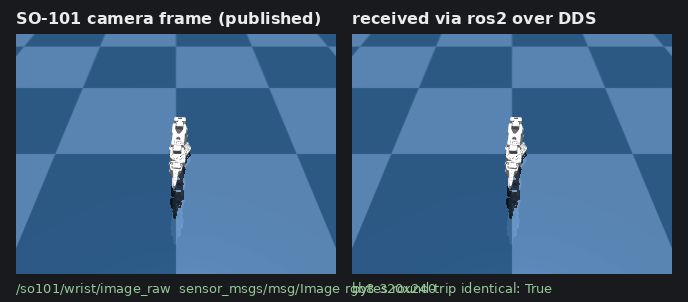
The frame above was rendered for an SO-101, published on /so101/wrist/image_raw by HardwareRosBridge over real DDS, and decoded back by a separate rclpy subscriber - byte-identical round trip. On the same run ros2 topic echo /so101/joint_states returns the live joint vector, so the robot is a first-class ROS 2 device on the graph.
Mesh bridge: a ROS 2 robot as a first-class strands Robot
use_ros is the low-level surface. For mobile bases that expose the usual
cmd_vel / odometry / scan topic trio, RosBridgedRobot wraps that wiring so a
remote ROS 2 robot drives like any other strands robot - the same
Agent(tools=[robot]) pattern used for simulated and hardware arms.
from strands import Agent
from strands_robots.mesh import RosBridgedRobot

turtle = RosBridgedRobot.from_ros(
    node_name="turtlesim",
    cmd_vel_topic="/turtle1/cmd_vel",
    odom_topic="/turtle1/pose",
    odom_type="turtlesim/msg/Pose",  # optional; auto-resolved when omitted
)

# Direct, programmatic control:
turtle.drive(linear=1.0, duration=1.5)   # hold the command for 1.5 s
print(turtle.get_pose())                 # one odom/pose sample
turtle.stop()

# Or hand the robot to an agent - its capabilities become named tools
# (drive_turtlesim, stop_turtlesim, get_pose_turtlesim, ...):
agent = Agent(tools=turtle.tools)
agent("drive forward for two seconds, then tell me the pose")
The bridge is intentionally thin: every method forwards to use_ros, so it
inherits the same in-process rclpy backend and its topic/type validation. The
parameters use_ros never sees are checked by the bridge itself - drive
reports an error result without publishing when a velocity is not finite, a
duration is not positive and finite, or a message count is not a positive
whole number, and publish_rate is refused at construction. Construct it freely
without a ROS 2 environment present - errors surface only when a method is
actually called and rclpy is unavailable.
| Method | ROS 2 action | Notes |
|---|---|---|
drive(linear, angular, duration=, count=) |
publish Twist to cmd_vel_topic |
duration holds the command at publish_rate Hz; finite velocities, duration > 0, count >= 1 - anything else is refused without publishing |
stop() |
publish zero Twist |
|
get_pose() |
echo odom_topic |
|
get_scan() |
echo scan_topic |
error when no scan_topic configured |
.tools |
- | per-instance named agent tools |
See examples/ros2/turtlebot_demo.py for an end-to-end agent driving a turtle
in turtlesim through the mesh bridge.
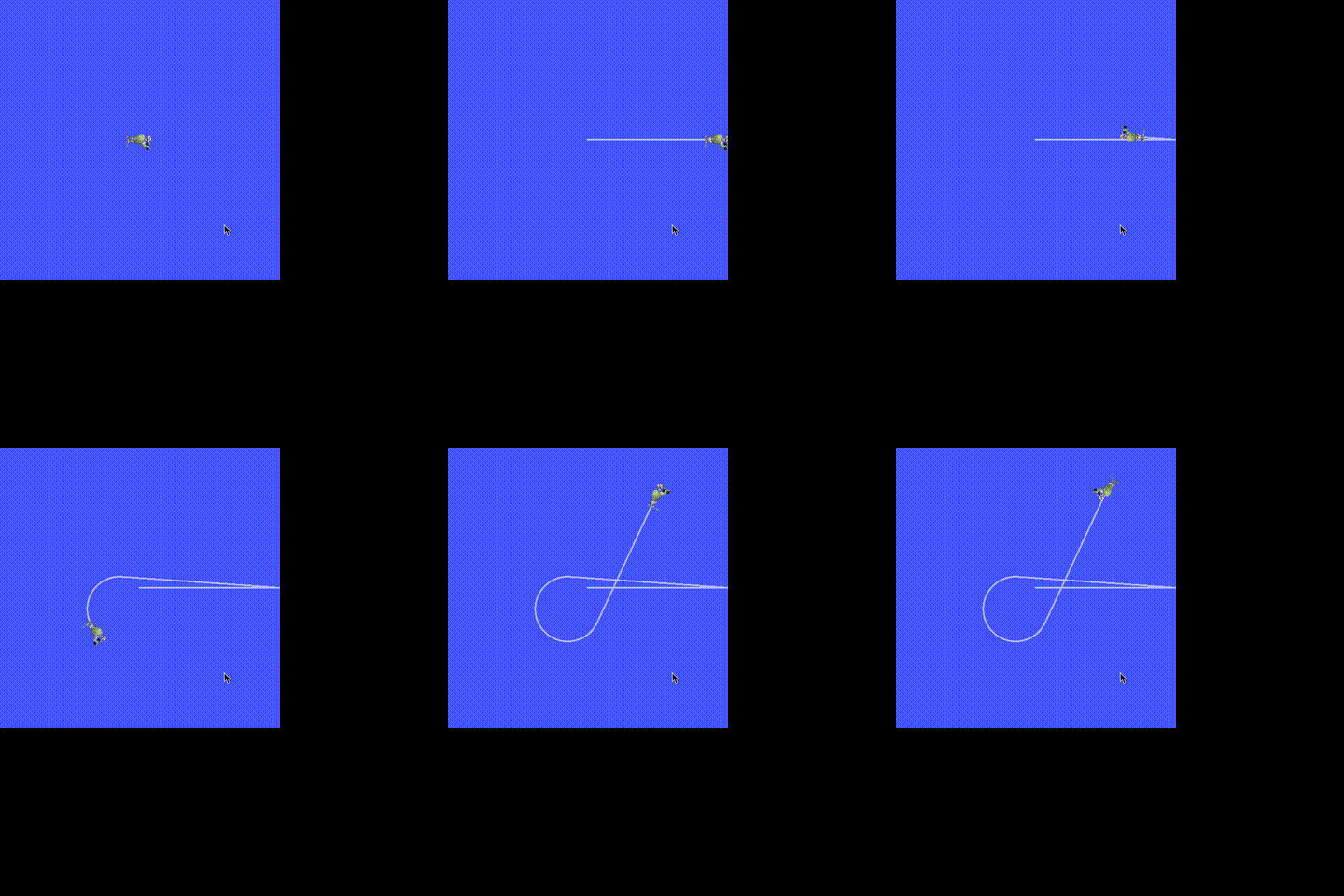
The trail above is a turtle in turtlesim driven entirely through
RosBridgedRobot.drive(...) - the velocity commands are published over ROS 2 by
the mesh bridge, and the pose is read back through the same bridge.