MotionBricks
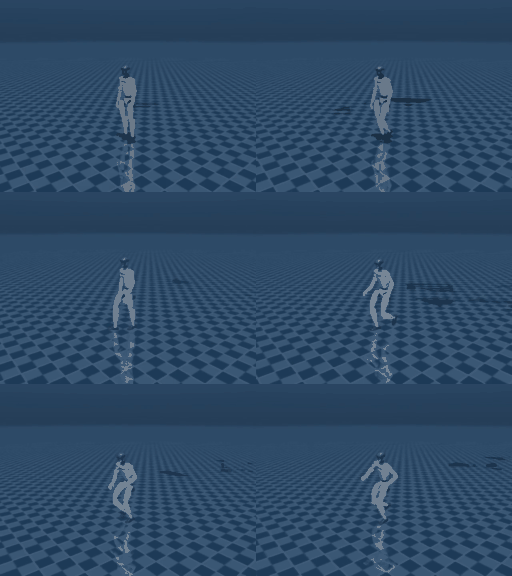
Kinematic rollout in MuJoCo (headless, MUJOCO_GL=egl): the G1 cycles through walk, stealth_walk, and walk_boxing styles.
MotionBricksPolicy
wraps NVIDIA's MotionBricks generative
motion model (the motionbricks/ subproject of
GR00T-WholeBodyControl).
MotionBricks is a generative kinematic motion model: given a high-level
style (a clip mode such as walk / stealth_walk / walk_boxing) plus a
movement/facing command, it synthesises per-frame full-body qpos for the
Unitree G1, faster than real time.
Like the other non-VLA providers (wbc, cuRobo, MoveIt2) it runs in the same
process (torch, no sidecar):
requires_images = False- driven by a style + direction command, never camera frames.get_actionsreads its goal from the well-known**kwargs(style/mode,target_velocity,target_heading), ignoring the instruction string.- Each call advances the generator one frame synchronously, no threads and returns the G1's 29 leg+waist+arm joint targets keyed by joint name.
Where it sits in the stack
MotionBricks is a higher layer than WBC, not a replacement. It generates the motion targets; a tracking controller turns them into torques under physics:
high-level intent (style, direction)
        |
        v
MotionBricks            <- THIS provider: per-frame motion targets (root + joint refs)
        |
        v
WBCPolicy / GEAR-SONIC  <- tracks the targets: joint torques / position targets
        |
        v
robot (sim or hardware)
The two stages run in series: MotionBricks emits the joint references and a
tracker consumes them as its input. The 29 joints are keyed by the same
canonical ordering as WBC (MOTIONBRICKS_G1_JOINTS is WBC_G1_ALL_JOINTS), so
the tracker names the same joints without a remapping table.
That cascade is not
CompositePolicy,
which merges two policies over disjoint joint groups. A whole-body generator
and a whole-body tracker claim the same joints, so composing them discards one
child's output entirely — a configuration CompositePolicy refuses. Note also
that WBCPolicy is a velocity-commanded locomotion controller with no
reference-pose input, so it cannot track a MotionBricks reference.
Standalone, the policy's output is a kinematic reference - the faithful way to
visualise a kinematic generator is to set the synthesised qpos
(policy.last_qpos) and run forward kinematics, exactly like the upstream
interactive_demo_g1.py.
Install
The motionbricks package is not on PyPI. Install the PyPI support
libraries via the extra, then the upstream package editable, then fetch the
checkpoints with git-LFS (~2.2 GB, NVIDIA Open Model License - no weights are
bundled):
pip install "strands-robots[motionbricks]"

git clone https://github.com/NVlabs/GR00T-WholeBodyControl.git
cd GR00T-WholeBodyControl
git lfs install
# The parent repo skips MotionBricks checkpoints by default (.lfsconfig
# fetchexclude); --exclude="" overrides that so the weights actually download.
git lfs pull --include="motionbricks/out/**" --exclude=""
git lfs pull --include="motionbricks/assets/skeletons/g1/meshes/**" --exclude=""
pip install -e motionbricks

# Verify the checkpoints are real files, not LFS pointers:
ls -lh motionbricks/out/G1-clip.ckpt                                    # ~7.5 MB
ls -lh motionbricks/out/motionbricks_pose/version_1/checkpoints/*.ckpt  # ~1.6 GB
ls -lh motionbricks/out/motionbricks_root/version_1/checkpoints/*.ckpt  # ~391 MB
ls -lh motionbricks/out/motionbricks_vqvae/version_1/checkpoints/*.ckpt # ~273 MB
A CUDA GPU is recommended; device="cpu" also works (slower, but the kinematic
generator still runs well above real time on CPU).
Usage
from strands_robots.policies.motionbricks import MotionBricksConfig, MotionBricksPolicy

config = MotionBricksConfig(
    result_dir="/path/to/GR00T-WholeBodyControl/motionbricks/out",
    device="cuda",          # or "cpu"
    style="walk",
)
policy = MotionBricksPolicy(config=config)

# One synthesis frame -> 29 joint targets keyed by G1 joint name.
actions = policy.get_actions_sync({}, "", style="stealth_walk")
joint_targets = actions[0]            # {"left_hip_pitch_joint": ..., ...}
full_qpos = policy.last_qpos          # [root(7), joints(29)] for kinematic viz
Or through the factory / a simulation:
from strands_robots.policies import create_policy

policy = create_policy(
    "motionbricks",
    result_dir="/path/to/.../motionbricks/out",
    style="walk",
)
Configuration
MotionBricksConfig field |
Meaning | Default |
|---|---|---|
result_dir |
Path to the upstream out/ checkpoint tree - a str or any os.PathLike, stored as a str |
required |
skeleton_xml / scene_xml |
G1 skeleton / scene MuJoCo XML | derived from result_dir |
clips |
Clip set name | "G1" |
style |
Default mode (index or name) | "walk" |
generate_dt |
Synthesis horizon multiplier | 2.0 |
fps |
Motion frame rate | 30 |
device |
Torch device | "cuda" |
speed_scale |
(min, max) root-velocity perturbation |
(1.0, 1.0) |
Per-call goal kwargs
| kwarg | Meaning |
|---|---|
style / mode |
Clip mode - an int index or str name (e.g. "walk", "stealth_walk", "walk_boxing", "hand_crawling"). |
target_velocity |
[vx, vy] desired planar movement direction (world frame); only the direction is used. |
target_heading |
[hx, hy] facing direction, or target_heading_angle (radians). |
An unknown style or out-of-range index raises ValueError listing the
available modes. A missing [motionbricks] install or checkpoint raises
RuntimeError with an install hint - there is no silent fallback.
Driving the gait with the locomotion_style goal kwarg
MotionBricks reads a high-level locomotion_style from the well-known
policy_kwargs goal channel - the same channel WBC and the other non-VLA
providers use. The accepted SONIC style vocabulary (LOCOMOTION_STYLES:
run, happy, stealth, injured, kneeling, hand_crawling,
elbow_crawling, boxing) is owned by MotionBricks. Its G1 clips are named
differently, so the policy translates locomotion_style to the matching clip
via LOCOMOTION_STYLE_TO_G1_CLIP:
locomotion_style |
MotionBricks clip |
|---|---|
run |
walk |
happy |
walk_happy_dance |
stealth |
stealth_walk |
injured |
injured_walk |
hand_crawling |
hand_crawling |
elbow_crawling |
elbow_crawling |
boxing |
walk_boxing |
A caller steers the gait by passing locomotion_style (and an optional
target_velocity) through run_policy(policy_kwargs=...), re-issuing
short-horizon calls to change the goal over time (closed-loop at the caller's
own cadence):
from strands_robots import Robot

robot = Robot("unitree_g1", mode="sim")
cfg = {"result_dir": "/path/to/.../motionbricks/out"}
for style in ("run", "stealth", "boxing"):
    robot.run_policy(
        policy_provider="motionbricks",
        policy_config=cfg,
        policy_kwargs={"locomotion_style": style, "target_velocity": [0.4, 0.0, 0.0]},
        duration=3.0,
        control_frequency=30.0,
    )
Resolution order per tick: an explicit style=/mode= kwarg pins the clip
(overriding locomotion_style); otherwise locomotion_style is translated;
otherwise the configured default style is used. The kneeling style has no
G1 clip - passing it raises ValueError rather than miming the wrong motion.
Supply a style_map (on the policy or in MotionBricksConfig) to remap styles
or target a custom clip set.
Visualisation
Render a style sequence headless (MUJOCO_GL=egl) with the bundled example:
MUJOCO_GL=egl python examples/wbc/motionbricks_g1_mujoco.py \
    --result-dir /path/to/GR00T-WholeBodyControl/motionbricks/out \
    --device cuda --styles walk,stealth_walk,walk_boxing \
    --out /tmp/motionbricks_g1.mp4
Testing
# Unit tests (no GPU, no checkpoints - stubbed generator via the motion_agent seam):
pytest tests/policies/motionbricks/

# Live integration (real generator):
MOTIONBRICKS_CKPT=/path/to/.../motionbricks/out pytest -m motionbricks tests_integ/policies/motionbricks/
Out of scope
- Training (upstream ships
train_vqvae.py/train_pose.py/train_root.py). - VR teleoperation.
- Non-G1 embodiments (each needs its own joint mapping table + checkpoints).